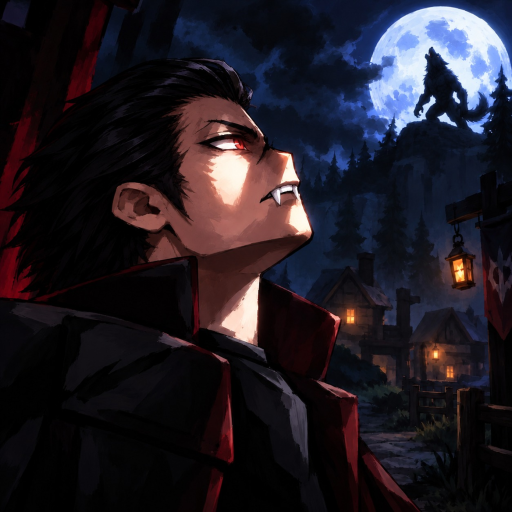
Supernatural Realm Community and Discord Guide
Quick answer
- Start here: Use the official experience and the Supernatural Realm creator group, ID 814410199.
- For updates: Follow the developer’s current community links rather than a same-name game or an old repost.
Start with the exact Supernatural Realm community
Use the Supernatural Realm creator group as your reliable starting point for the game’s community. The official experience is Roblox place 113890950093491. Keeping those two destinations together helps you find information about Ashfall rather than a different game with a similar name.
The group is also connected to the game’s advertised XP benefit. That gives it a practical purpose beyond browsing discussion. If you are looking for a particular announcement, start with the developer’s current links and keep the game identity attached to the question you are asking.
Find the channel that fits the question
Use game and developer announcements for changes that can alter a build, a quest or a reward. Use gameplay discussion when you want another player’s approach to a fight or a path choice. Those sources can be useful for different reasons without being interchangeable.
A code page or a video can point you toward the community, but a reposted invitation can become old while the game continues changing. When looking for Discord access, follow the current developer-linked route from the official destinations. You do not need to join an unrelated server simply because its title contains the same game words.
| Your question | Useful starting point |
|---|---|
| Which Roblox experience is this? | The exact official game page and creator group |
| Did a feature or requirement change? | The developer’s current announcements |
| Where are the current code rewards? | The Codes page and its linked reward source |
| How do other players approach a fight? | A discussion that names the path, objective and situation |
Ask a gameplay question someone can answer
Give another player the part of the game that matters: your chosen path, the objective you are trying to complete and the action that is going wrong. A question about a grip opening is easier to answer than a general request for the strongest build, especially when the actual obstacle is finishing one encounter.
Keep the description short enough that the relevant detail stands out. Explain whether you need help with travel, interaction, combat or an equipment choice. If a message or requirement is important, use its wording instead of replacing it with a guess about the underlying system.
Keep announcements separate from player preferences
A developer announcement can establish that a feature was released or a requirement changed. A player recommendation explains why someone likes a path or an approach. Use the recommendation for ideas, then connect it to the activity you want to play rather than treating popularity as a universal game rule.
This also helps when you read an older discussion. The advice may describe a different character stage or a previous version, even when the game identity is correct. Look for the actual condition attached to the suggestion before rebuilding your character around it.
For a useful next step, the update guide explains how to distinguish released changes, upcoming features and ordinary guide revisions. Once you know which kind of information you need, the community is easier to navigate and your question is more likely to reach the right conversation.